
A possible business
Everyday tools for small-business operators
Your everyday business tools, ready for the next task.
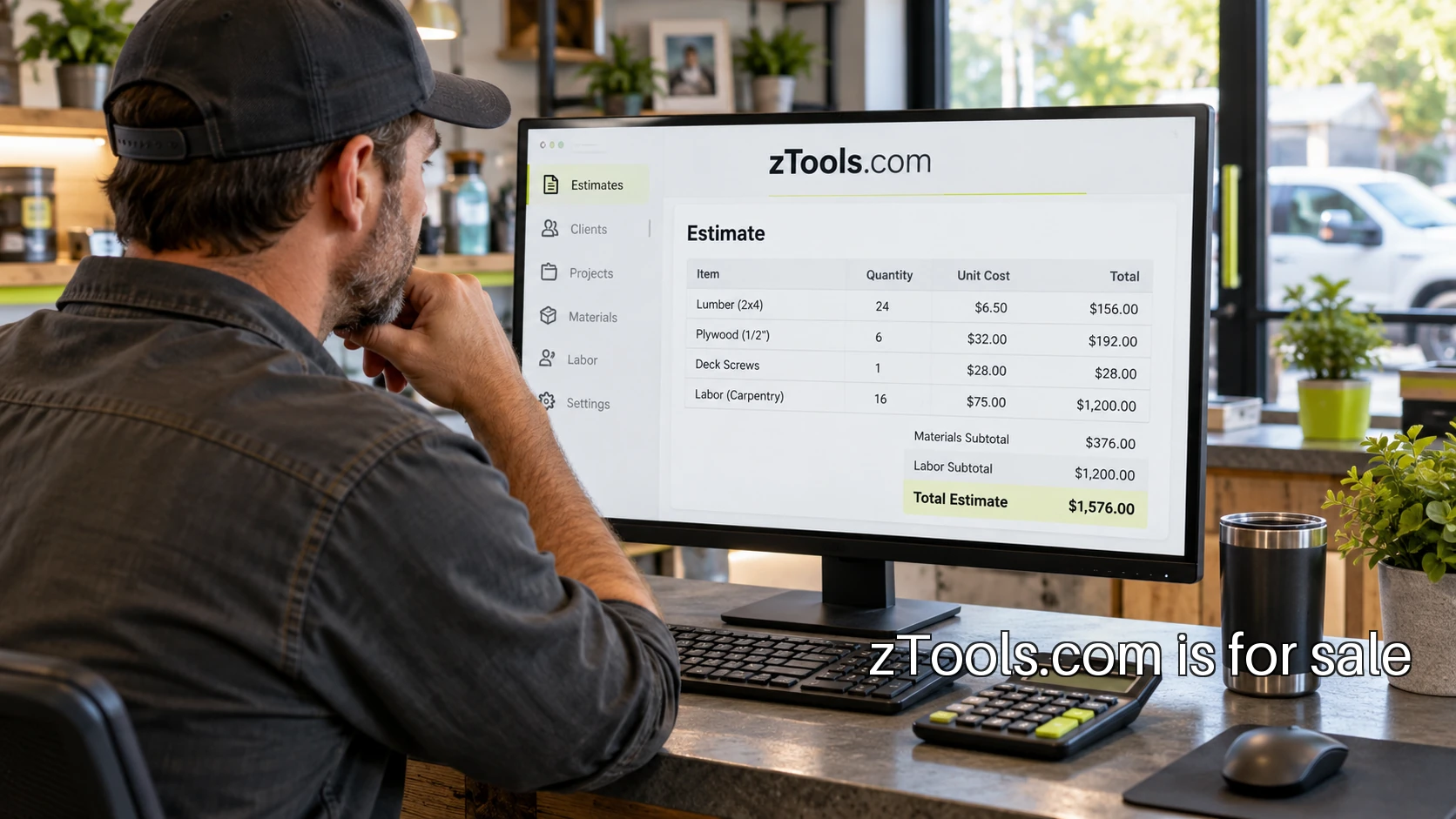
Tools for the owner doing the work
A third possible direction for zTools.com is an everyday operations kit for small service-business owners. The customer prepares estimates, checks simple calculations and cleans up exported records between the other demands of running the business. The first offer should make a few common tasks understandable without requiring the owner to learn a large software system.
Consider this illustrative kit: an estimate builder, a margin checker and a CSV cleanup tool. These serve the same operator, but each has a distinct job. The estimate builder organizes inputs into a document. The margin checker makes the arithmetic visible. The cleanup tool helps prepare a file for a later step. Together they can form a practical workspace with clear boundaries.
Make the first estimate easy to check
Start by observing how an owner currently prepares an estimate. What information arrives on paper? What is copied from an earlier job? Which figures are checked twice? An estimate tool can help only if its fields match the work. A landscaping estimate and an equipment-repair estimate may share some arithmetic while needing different descriptions and units.
For an example, take a fictional service job with two hours of labor at 60 currency units per hour and materials costing 40. The direct cost shown is 160. Adding a 25 percent markup produces a price of 200. At that price, the difference between price and the stated cost is 40, which is 20 percent of the price. These are illustrative calculations, not a pricing recommendation for a real business.
Show the formula beside the result. Markup uses cost as its base; margin uses selling price. Let the owner change a value and see which result changes. Also explain exactly which costs the example includes. A simple calculator becomes confusing when its label suggests a complete view of profitability but its inputs cover only a small part of a job.
Use labels an owner can act on
A field called “Units” needs context. Hours, visits and items are different quantities. Put the unit next to the input and show a readable summary before generating the document. If a value is missing, explain the missing piece close to the field rather than producing a plausible-looking total with an unnoticed zero.
The W3C form-label guidance supports clear connections between controls and their labels. For this kit, that translates into visible labels, useful instructions and results that remain understandable with a keyboard or on a small screen. A calculator used between appointments should be tested in those conditions, not only on a developer's wide monitor.
Keep the output useful outside the tool
An estimate often leaves the browser. The owner may save a PDF, copy a line into an email or hand a printout to a customer. Include the description, quantities, dates and assumptions that make the output understandable later. A download button is only useful if the document preserves enough context to be checked.
The CSV cleanup tool has a different responsibility: make changes visible before export. Show which columns were selected, how blank rows are handled and whether leading zeros are preserved. Provide a preview and an untouched original. Someone cleaning a file should be able to explain the transformation without opening the tool's source code.
Decide when saving is worth an account
A quick calculation can work without a signup. Saved estimate templates, a recurring set of services or a shared business workspace are stronger reasons to offer an account. Ask users what they repeatedly re-enter before designing a subscription around storage. An account should remove an observed inconvenience rather than create one at the first visit.
Browser storage is also a separate decision from an online account. The MDN Web Storage overview describes localStorage and sessionStorage as browser storage mechanisms. If a tool uses them, explain what is saved and provide a way to clear it. A person using a shared computer needs to understand what may remain after the tab closes.
Reach owners through a specific working example
Choose a starting trade and publish an estimate example that uses its language. A generic “business calculator” page tells a visitor little about the work it supports. A well-explained sample can show how an owner moves from quantities and descriptions to a document they can review. That provides a concrete reason to try the tool.
Bookkeepers and small-business advisers may be useful distribution partners because they see where owners struggle with records. Ask them to review the input labels and output before proposing a partnership. Their feedback can reveal that a field needs a different unit or that the exported file omits something essential to the next task.
Run the kit like a maintained product
Test the arithmetic with worked examples, including zero values, decimal quantities and empty fields. Check exports on the devices users actually carry. Keep a change record for formula and format updates. A small collection of dependable tools creates a clearer operating commitment than a directory of calculators that nobody owns.
zTools fits an owner-focused kit because the name can sit above precise task labels without tying the business to one calculation. Begin by watching three owners prepare an estimate, then prototype the step they repeatedly redo. If that is the audience you want to serve, describe your plans for acquiring zTools.com on the Discuss Purchase page. PremiumBrands can also help pursue a different name outside the collection.
Discuss zTools.com
Describe the software business you have in mind, or ask PremiumBrands for help pursuing another name.
Discuss Purchase